Adding Instructors to Jumbula & Assigning to Classes
Each class must have an cleared instructor assigned 5 days before the start of class. Please take the steps below to create a profile for each instructor and assign them to the appropriate classes.
Step 1
Create Instructor Profile
In the left hand menu click Staff → Manage Staff → Add Staff → Fill in the required information → Select Instructor in Access role → “Submit”
Step 2
Assign the instructor to a class
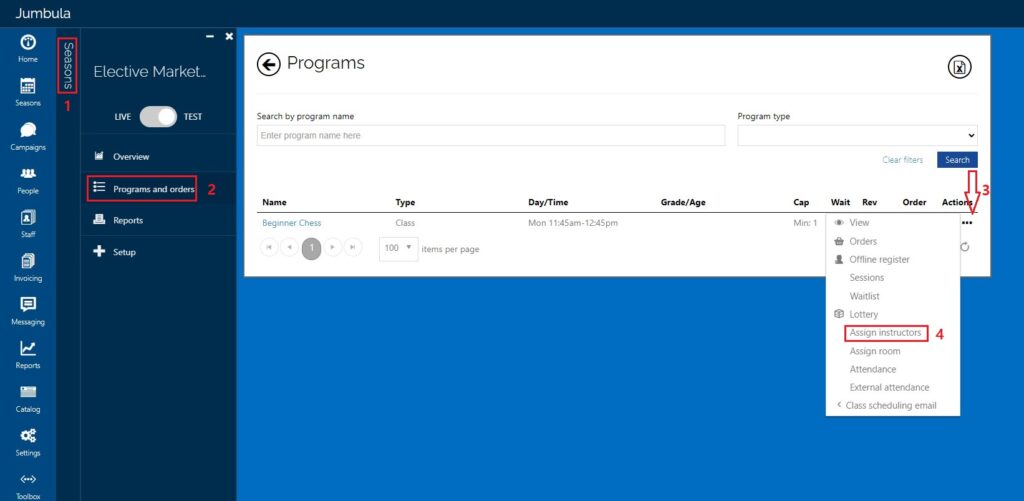
Go to Seasons → Electives “Season” “Year” (find the correct season and year) → Programs and Orders → Hover over the 3 dots below Actions → click on Assign Instructor
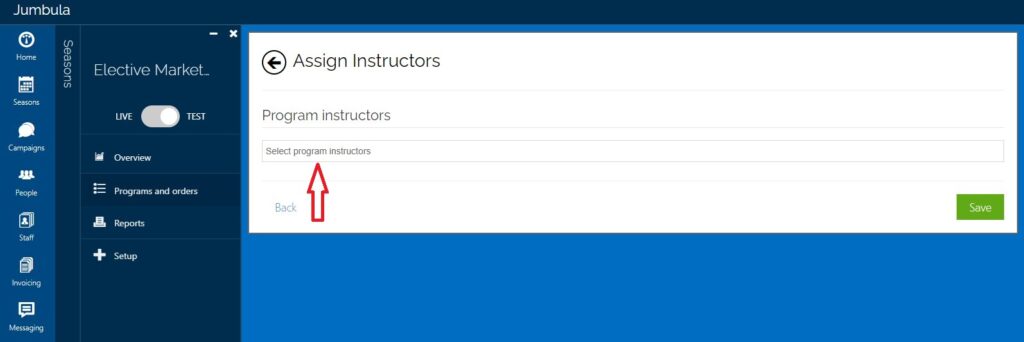
Next select Program Instructors and click on any and all instructors for that class, then click Save