Step 2

Confirm your schedule

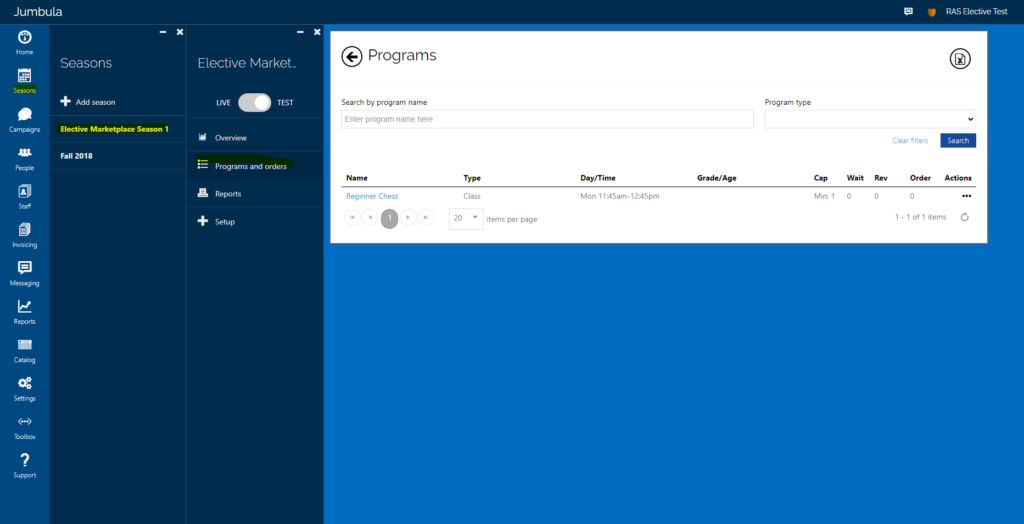
In order to view your schedule, log into your Jumbula account and select Seasons –> Fall 20xx –> Programs and Orders.

When reviewing your schedule, please ensure the following are correct:

  • Class Name/Description
  • Dates/Times
  • Grade ranges
  • School Name
  • Minimum/Maximum
  • If you have a materials fee, please ensure that is listed correctly

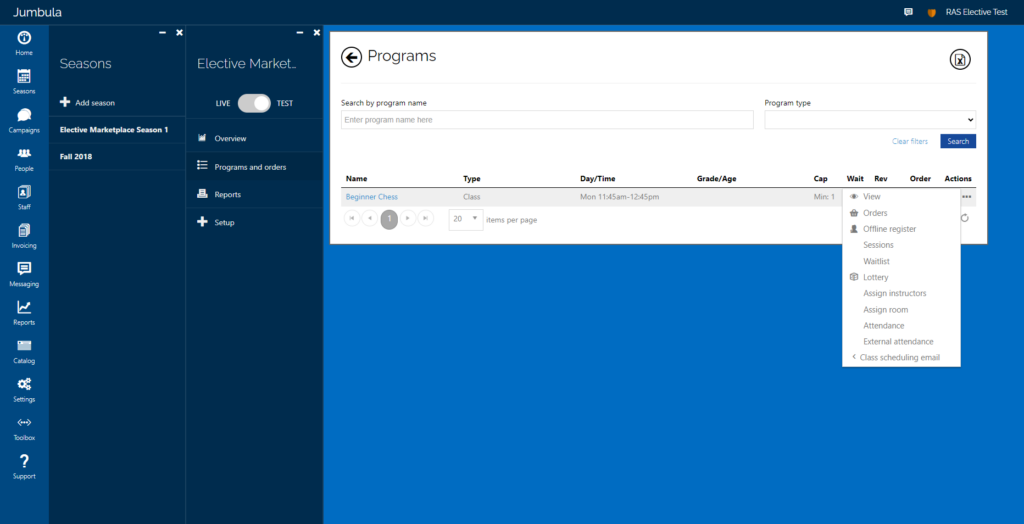
In order to view your class description, hover over the three dots under “Actions” and select “View”.


If any changes are needed, please contact electives@rightatschool.com